Share a record
Each version of a record is shared either with everyone in your organization, or only with the people and groups you choose. On a draft, you can also let someone edit it as well as read it.
Who can do this
Only the record’s owner, its approver, Admins, and Super Admins can change who can see a record. See Access levels and permissions.
Choose who can see a record
- Open the record, and select its access under the title, which reads Everyone or Restricted. The Sharing settings dialog opens.
- Choose who can see the record:
- Everyone at your organization (for example, Everyone at Aldermont Foundation): every member can read the record.
- Restricted: only the record’s owner, and the people and groups you add, can read the record.
- For a restricted record, add people or groups in Add people or groups. Adding a group shares the record with each of its members.
- To take someone off, select ✕ beside their name.
- Select Done.
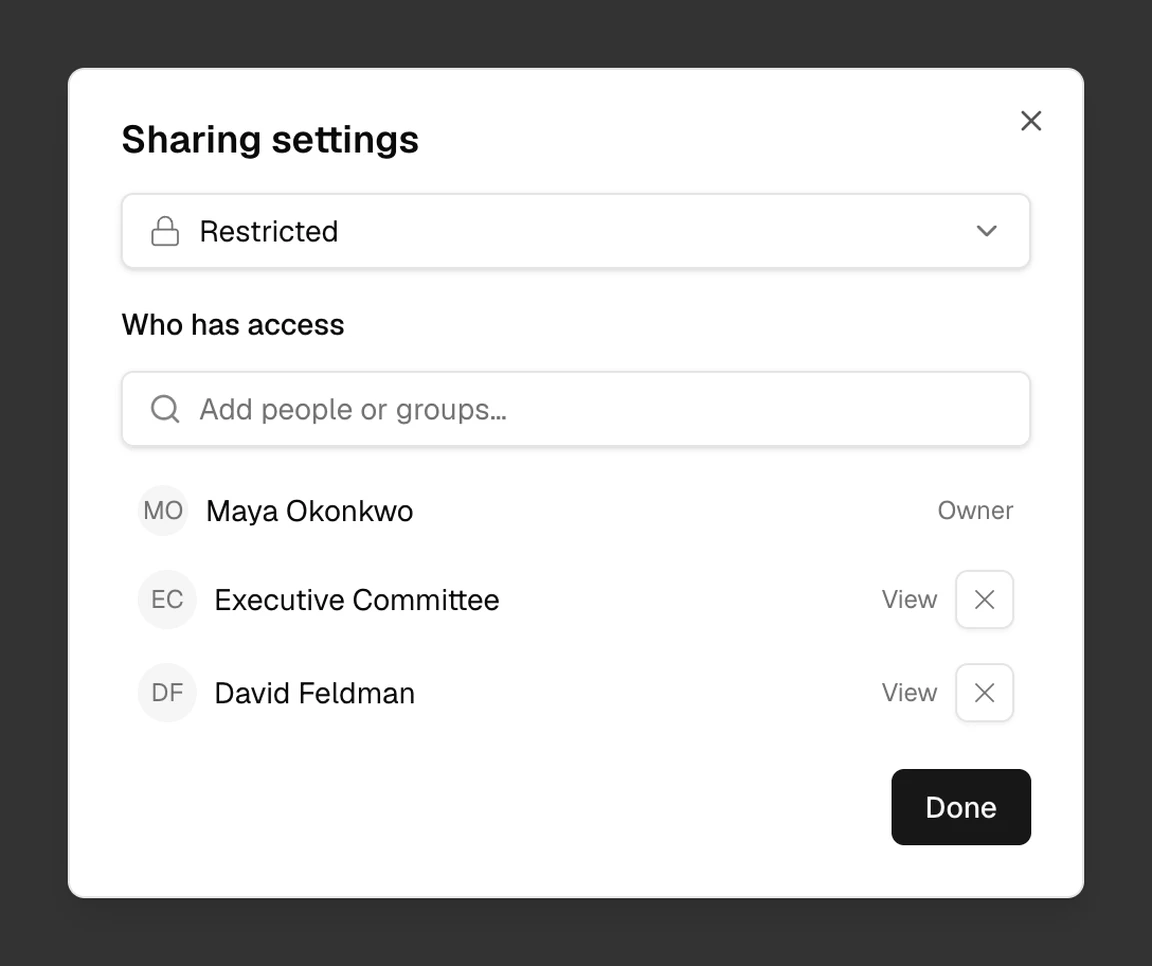
Brava saves each change as you make it.
Choose who can edit a draft
On a draft, each person or group you add can either view the draft or edit it. Select View or Edit beside them, and choose Can view or Can edit.
- Can view: they can read the draft and comment on it.
- Can edit: they can also change the draft.
Once a version is proposed, everyone it is shared with can only view it.
Sharing across versions, proposals, and minutes
- Each version has its own sharing. A new draft starts Restricted.
- When you propose a restricted version, Brava shares it with its approver, so that the approver can read it.
- The attendees of a meeting can read a proposal that is on the meeting’s agenda. See Propose and approve a record.
- The minutes of a restricted meeting hold its attendance and decisions. Sharing settings reminds you of this before you share the minutes.