Read the board packet
The board packet puts all of a meeting’s materials in one place, in agenda order, so you can read them from start to finish. The board book is the same packet as a PDF, to read offline or to print. The packet opens once the meeting’s materials are sent. Everyone who can see the materials can read it: the meeting’s attendees, and every member when the meeting is open to everyone. See Access levels and permissions.
Open the packet
- Open the meeting. The email that says the materials are ready has a button that opens it.
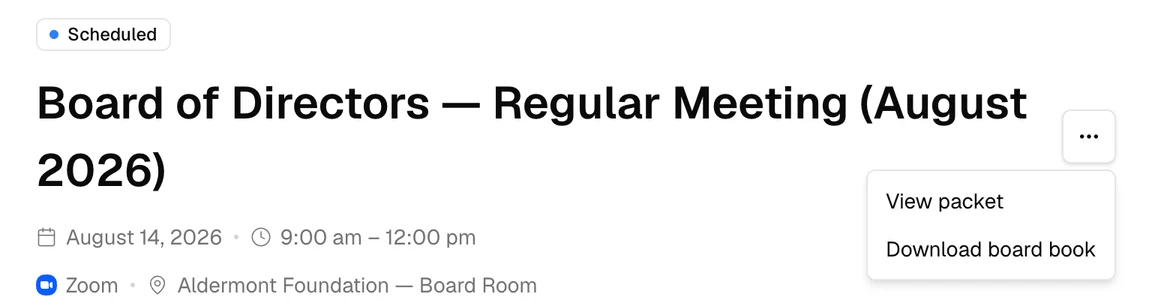
- Select More actions (⋯), then View packet.
The packet opens with a cover page, then the agenda. After that, each agenda item follows in turn, with its presenter, its description, its files, and the full text of its linked records. Select a file to open it in a new tab.
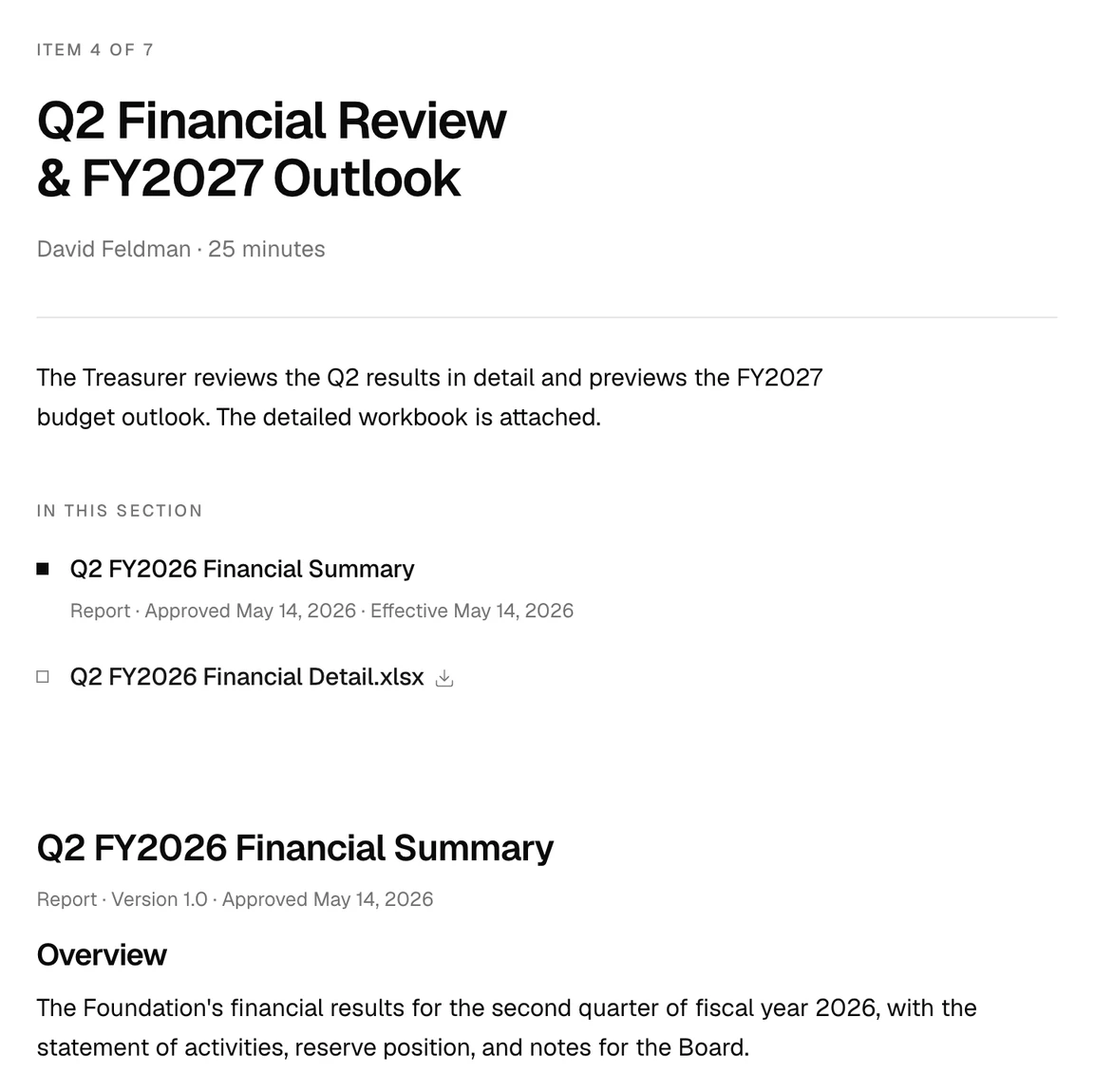
On a wide screen, an outline at the right of the packet takes you to each item. Select Print to print the packet, or to save it as a PDF. Select Back to meeting to return to the meeting.
Download the board book
- Open the meeting.
- Select More actions (⋯), then Download board book.
A card appears while Brava builds the book. When the book is ready, the PDF downloads to your computer, named after the meeting. To download it again, select Download again on the card.
The board book holds the cover, the agenda, and each agenda item with its linked records and its attached PDFs, images, and Office documents. The book lists any other files as provided separately: open those files in Brava.
What can go wrong
View packet takes me back to the meeting. Why?
The materials have not been sent yet. Brava emails you when they are.
The board book card shows an error. What do I do?
Select Try again.
A page of the board book says a document could not be read. Why?
The document is password-protected, or Brava could not read it. Open that file in Brava instead.