Access levels and permissions
Each member of your organization has one access level, and it sets what they can do in Brava. What a member can see also depends on how each record is shared, and on each meeting’s access. If you cannot see something, or cannot do something you expected to, this page explains why.
The five access levels
- Super Admin: runs Brava for your organization. A Super Admin can do everything an Admin can, and can also manage Super Admins and permanently delete records.
- Admin: manages members, groups, and the organization’s settings, and runs meetings and records.
- Officer: does the day-to-day work: creates records, schedules meetings, sends the materials, and writes the minutes.
- Director: for board and committee members. A Director reads, comments, and approves a record when they are its approver.
- Observer: reads what is shared with them, and the meetings that are open to everyone.
What each level can do
The levels build on each other: each level can do everything the levels below it can. In the tables below and across these docs, “Officer and above” (or “Officers and above”) means Officers, Admins, and Super Admins. “Approver” means the person, or a member of the group, named to approve a record or minutes.
Meetings
| Action | Who can |
|---|---|
| Schedule a meeting, edit the agenda, send the materials | Officer and above |
| Delete a draft meeting or an agenda item | Admin and above |
| Take attendance | Officer and above |
| Answer your own invitation | Every level |
| Create and edit minutes | Officer and above |
Decisions and action items
| Action | Who can |
|---|---|
| Add a decision on the Decisions page | Director and above |
| Add a decision to a meeting | Officer and above |
| Create and edit action items | Officer and above |
| Complete an action item assigned to you | Every level |
| Delete an action item | Admin and above |
Records
| Action | Who can |
|---|---|
| Read records and files shared with you | Every level |
| Comment | Director and above |
| Create a record, edit a draft, upload files | Officer and above |
| Submit a record for approval | Admin and above, and an Officer who owns the record |
| Approve a record or minutes | Admin and above, and a Director or Officer who is the approver |
| Archive a record | Admin and above |
| Permanently delete a record | Super Admin |
Members and settings
| Action | Who can |
|---|---|
| Invite members and change access levels | Admin and above. Only a Super Admin gives or changes the Super Admin level. |
| Create groups | Admin and above |
| Organization settings, the audit log, and integrations | Admin and above |
Records
Each version of a record is shared in one of two ways:
- With everyone at your organization: every member can read the version, at every access level.
- Restricted: only these people can read the version:
- the record’s owner;
- the person who created the record, and the person who created the version;
- the people and groups it is shared with;
- the attendees of a meeting where it is proposed, once they can see that meeting’s materials.
Every new version starts Restricted, so a draft stays with these people until someone shares it. Admins cannot read a Restricted record unless it is shared with them.
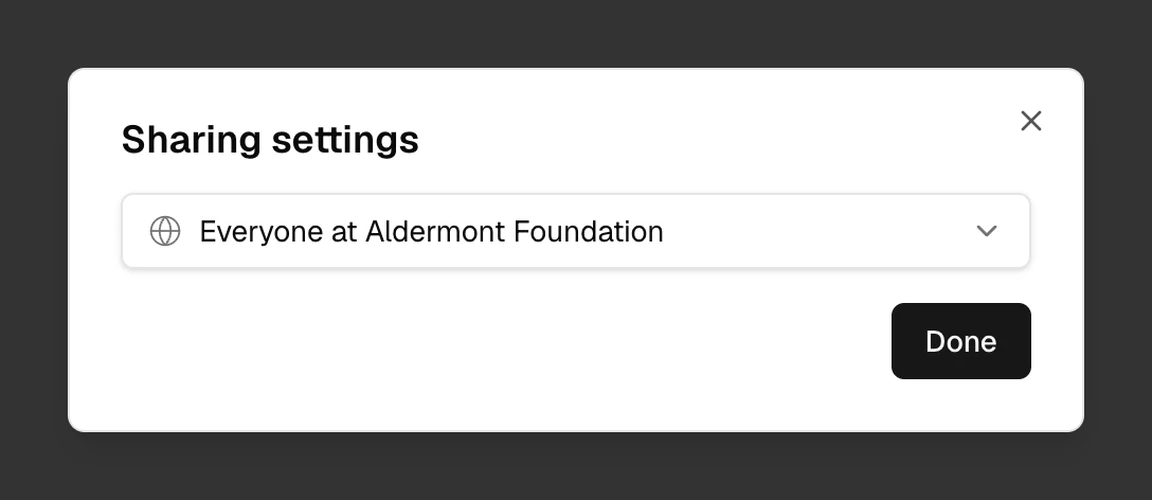
To change how a version is shared, select Restricted or Everyone under the record’s title. In Sharing settings, choose Restricted, or the option for everyone at your organization, which shows your organization’s name. Only the record’s owner, its approver, Admins, and Super Admins can change it.
In an emergency, a Super Admin can read a Restricted record for a short time, after giving a reason that Brava adds to the audit log.
Meetings
Each meeting has one of three kinds of access:
- Everyone: every member sees the meeting, its agenda, and its materials.
- Attendees only: every member sees that the meeting is planned. Only its attendees see the agenda and the materials.
- Private: only its attendees see the meeting.
Admins and Super Admins see every meeting.
Before the materials are sent, only Admins, Super Admins, and the attendees who are Officers see the agenda and materials. After the materials are sent, every attendee sees them.
Only the meeting’s owner can change its access, in Meeting details, under Access. Admins cannot change it.
Groups
A group brings members together, such as a committee. When a record is shared with a group, every member of the group can read it. When a group is a record’s approver, its members can approve the record if their access level allows it.
Each person in a group is its lead, a member, or an observer. A group’s lead manages the group’s settings and members. Admins and Super Admins create groups and choose their leads.
An observer in a group is not the same as the Observer access level. Within a group, an observer reads what is shared with the group, like any other member. What they can do in Brava still comes from their own access level.
Change someone’s access level
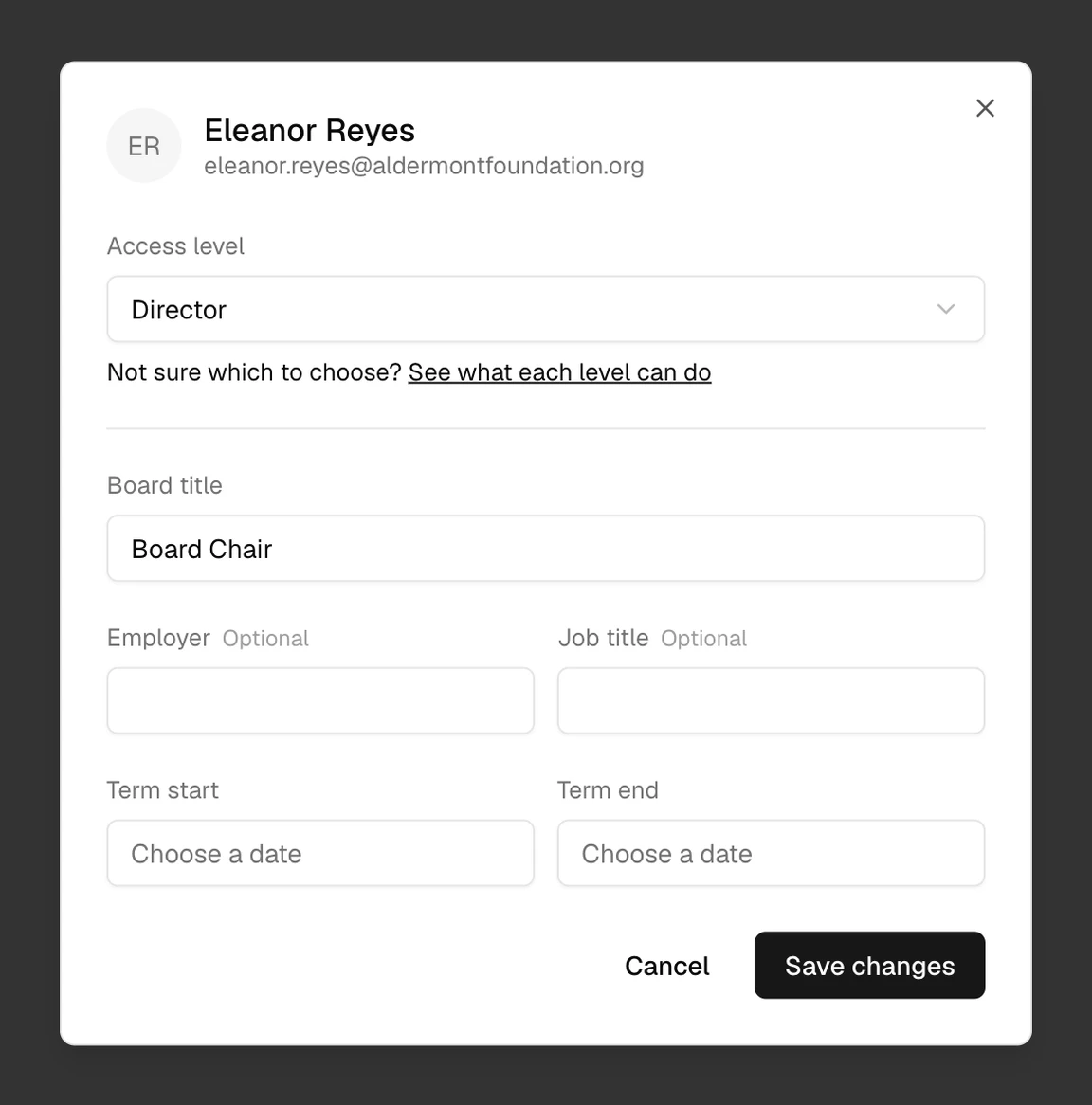
Admins and Super Admins can change a member’s access level. Open Admin, then Members, and select the member. Choose their Access level, then select Save changes.
A few rules apply:
- You cannot give anyone a level above your own. Only a Super Admin can make someone a Super Admin.
- You cannot change the level of someone above you. An Admin can change another Admin, but not a Super Admin.
- You cannot change your own level.
- Your organization always keeps at least one Super Admin.
To add someone to your organization, see Invite members.