Manage groups
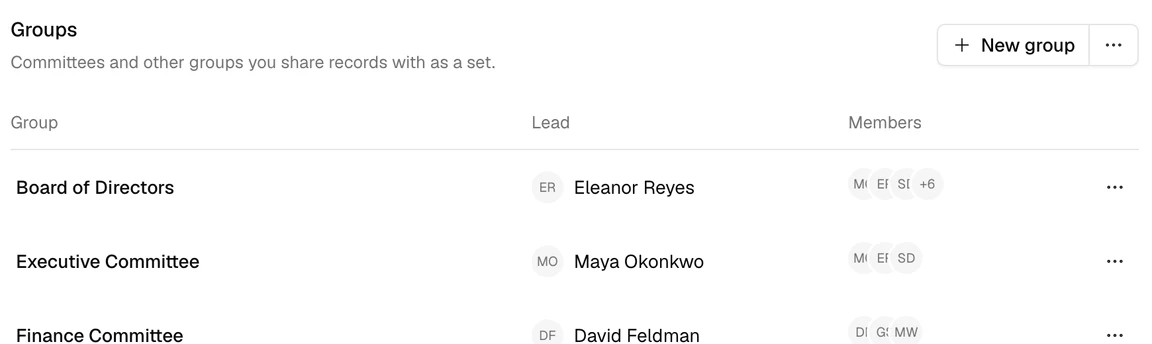
A group brings members together, such as a committee. When you share a record with a group, name a group as a record’s approver, or add a group to a meeting, it applies to each member of the group. Every organization starts with a Board of Directors group, which is the approver of new records.
Who can do this
Admins and Super Admins manage groups. See Access levels and permissions.
Create a group
- Open Admin, then Groups, and select New group.
- Enter the Group name.
- If the group has a lead, such as a committee’s chair, add them under Lead. A lead is a member of the group too.
- Add the Members.
- Select Create group.
Change a group
Select Actions (⋯) beside the group, then Edit. Change the group’s name, leads, or members.
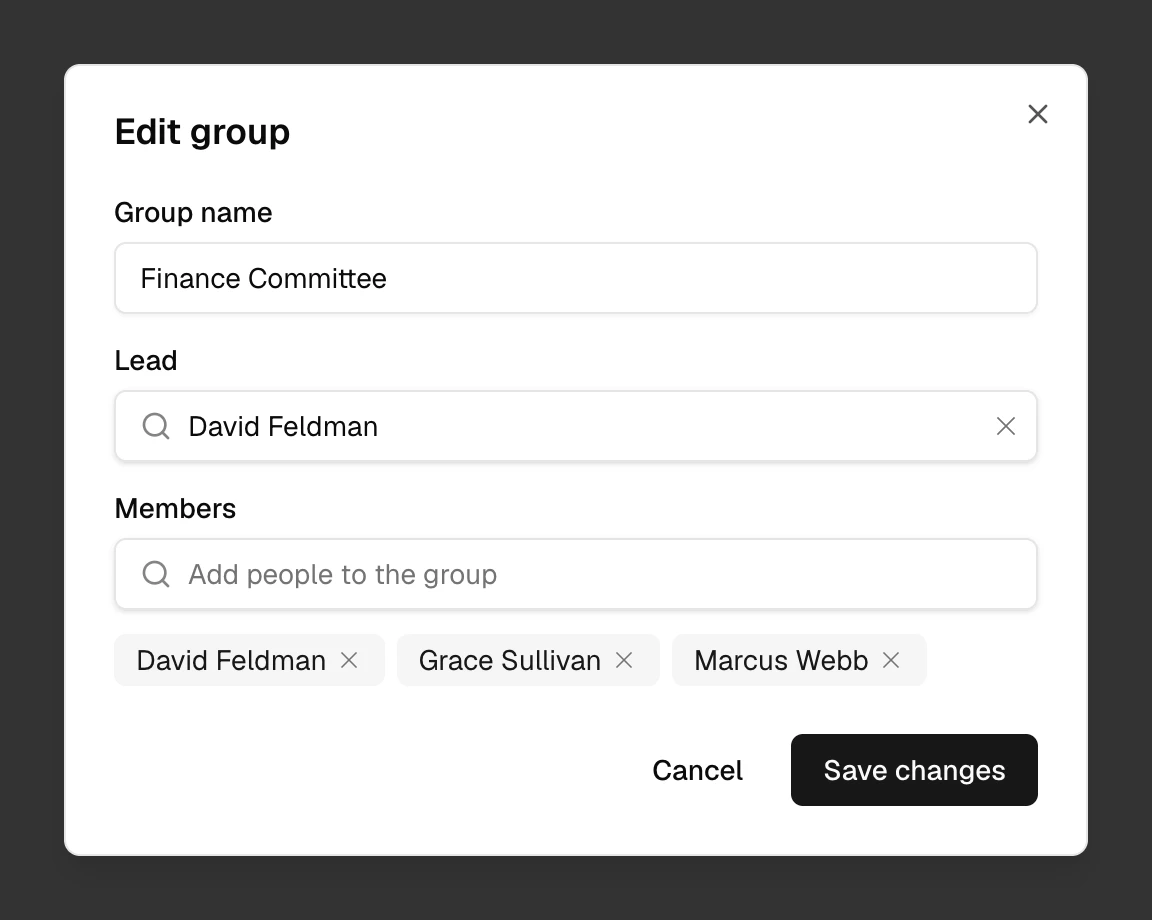
Someone you add to a group can at once read the records shared with the group, and approve the records the group approves.
Archive a group
When a group is no longer needed, archive it. Select Actions (⋯) beside the group, then Archive group, and confirm. The group’s members lose any access to records that came only from this group.
What can go wrong
I can’t change an archived group. What do I do?
Create a new group instead.